Table of Contents
Cyrious Online allows you to create an unlimited number of products and specify which products are for each customer website.
Their is no method for deleting products, although if you desperately want to delete a product you can contact us and we will delete it for you.
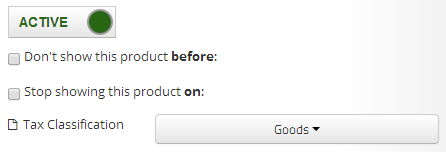
What you can do is mark a product inactive, and that will prevent it from showing up on any customer websites, as if it has been deleted.
On the General tab of the product, on the right, you will find your Active Inactive button
Product Setup
Cyrious Online allows you to define two types of products. Because of the depth of these features, the details of each is handled on pages for that type of product.
- stock_products - Stock products are usually standardized products that are sold without customization. They are often stocked in inventory, or may be a standard product produced-to-order. Examples include hardware, frames, and anything shipped from inventory. Stock product have the following advantages and limitations:
- stock_products support inventory_tracking.
- stock_products support choice_groups.
- stock_products do not support Artwork customization.
- stock_products do not support production timeframes.
- manufactured_products - Manufactured products are normally produced on order. Use of the Online Designer for customization is only allowed on manufactured products. Examples include signs, banners, posters, business cards, and other custom designed orders. Manufactured product have the following advantages and limitations:
- manufactured_products support Artwork customization.
- manufactured_products support production timeframes.
- manufactured_products do not support inventory_tracking.
- manufactured_products do not support choice_groups.
Walkthrough
Now, we are going to simulate making a product, with different screenshots and explanations for all the different variables. Because every product is a little different, all of the choices and options won't be the exact same, but you should get a general idea. manufactured_products and stock_products is the biggest choice and will result in radically different paths, so we will create two products, one of each, and have pictures all along the way for both.
For help setting up a Stock Product, click product_setup_stock_product_general
For help setting up a Manufactured Product, click product_setup_manufactured_product_general
Related Areas
Some other pages related to pricing found in this WIKI are:
References
Created : {$creationdate}
Revision : {$revisiondate}
Links